Tutorials8 min
WhatsApp Flows: Turn Chats Into Sign-ups, Bookings and Reviews
29 ott 2026Leggi Articolo →
18 WhatsApp follow-up messages for the moments that decide a deal, how many days to wait before each one, and how to make sure it actually gets sent.
Questo articolo non è ancora disponibile nella tua lingua. Mostriamo la versione in inglese.
The complete guide to chasing a deal on WhatsApp without losing it or annoying anyone.
You sent the quote on Monday. It is Thursday and there is nothing. The chat now sits under a delivery question and a wrong number, and every hour you leave it there it gets colder.
Here is the message that gets an answer:
Hi Marta, checking in on the quote I sent you. Does the scope look right, or should I change something?
No apology. No "just following up". One question, and an easy way to say no. That is the whole craft, and the rest of this guide is that message in eighteen situations, plus the part almost everybody gets wrong: sending it on the right day instead of whenever you happen to remember.
By the end you will have:
Let's get started.
Nobody loses a lead on purpose. It just scrolls.
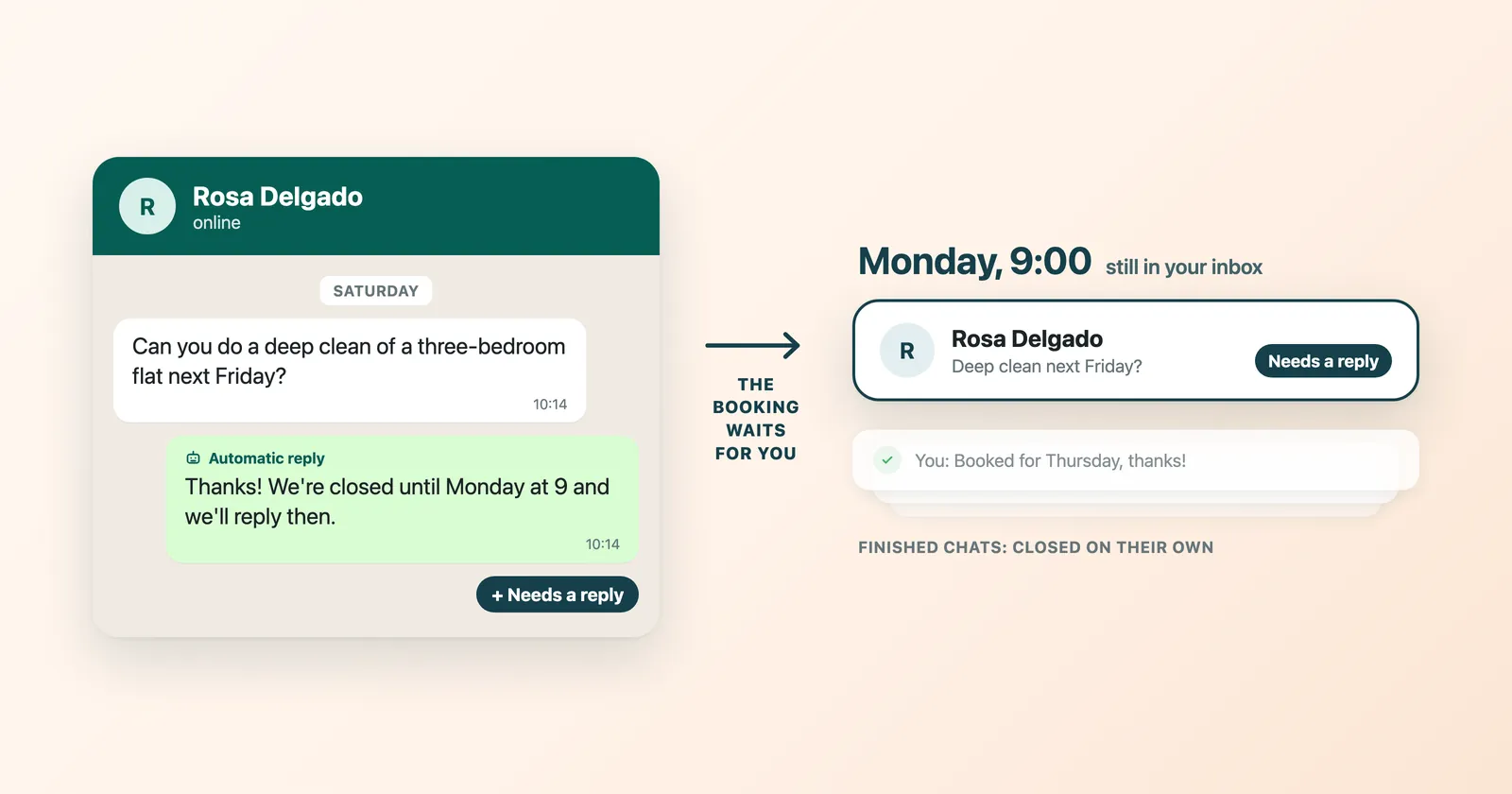
An inbox sorts by who wrote last, not by who is about to buy. So the customer who asked for a price on Monday ends up below three people asking where their order is, and the only thing keeping that deal alive is your memory. Memory holds two or three deals. It does not hold forty.
The fix is not a better message. It is deciding, at the moment you send the quote, what day you will chase it, and making that day arrive with the message already written.
These are the intervals we recommend. They are recommendations, not laws: read the room and move a day either way.
| What just happened | Send the next message | Why that gap |
|---|---|---|
| They asked a question and you have not answered | Within the hour | Speed is the whole advantage of WhatsApp |
| You sent a quote or a proposal | 3 days | Long enough to read it, short enough to still be warm |
| They said they need to check internally | 7 days | Their meeting has to happen first |
| They missed a call or an appointment | Same day | The excuse is fresh and forgiving |
| They said yes but have not paid | Next morning | Momentum dies overnight |
| They went quiet after a real conversation | 3 days, then 10, then stop | Two more tries, not seven |
| The deal was lost months ago | 30 days or more | Budgets and jobs change on that clock |
Three days is not a number we invented for this article. It is the mark the WhatsTeam sales funnel uses to flag a chat as Cold, because that is roughly when a warm conversation stops feeling like a conversation and starts feeling like a memory.
WhatsTeam runs on the official WhatsApp Business API, and the API has one rule that matters for follow-ups. For 24 hours after the customer's last message, you can write whatever you like. After that, the first message you send has to be a template: a message Meta (the company behind WhatsApp) approves before you can use it.
Look at the timing table again. Most follow-ups land after that window. So take the five or six messages below that you will use most and turn them into templates, with the customer's name as the part that changes. Meta usually approves a template within a day. In WhatsTeam, once the 24 hours have passed, the chat shows a Send template button instead of the normal message box, and the customer's reply opens a new 24-hour window.
Meta charges for each template it delivers, at its own rates, and gives every template a category. A follow-up can end up as marketing, which costs more than other types. The pricing guide explains how it works.
Every message below is written for a specific moment. Jump to yours.
| I want to write to someone who... | Go to |
|---|---|
| just asked about your product | They just asked |
| got your quote and said nothing | After a quote |
| went quiet mid conversation | They went quiet |
| said it is too expensive | The price objection |
| missed the call | The no show |
| is waiting on their own team | Waiting on their team |
| agreed but has not paid | Agreed, not paid |
| said no months ago | Reviving an old deal |
| you have already chased twice | The last message |
Send within the hour. This is a New lead, and the only advantage you have over the competition here is being the one who answered first.
Hi Marta, thanks for writing. I can help with the starter plan. Two quick questions so I do not waste your time: what do you need it for, and by when?
If you already know what they need, skip the questions and promise a time instead:
Hi Marta, got your message about the starter plan. I am sending you the details today. Anything specific you want me to include?
Two questions is the ceiling. A questionnaire on WhatsApp reads like a form, and forms get ignored in a place people use to talk to their family.
Send three days later. The deal is in Negotiation and your job is to make it cheap for them to answer.
Hi Marta, checking in on the quote I sent you. Does the scope look right, or should I change something?
If the quote was big or the buyer was hesitant, take the pressure off instead:
Hi Marta, no rush on the quote. If this is not the right month, say so and I will come back to you later instead.
That second one works better than it sounds. You are not asking for a yes, you are asking for a date, and a date is something people can give you without committing to anything.
Send three days after the last message. Someone who stops replying mid conversation is not offended, they are busy. Make it easy to restart.
Hi Marta, you went quiet on the quote, which is completely fine. Is it a no for now, or is it waiting on something?
Or the one line version, which is the easiest of all to answer because a single word will do:
Hi Marta, one line is enough: still interested, or shall I park it?
Do not send a photo of a dog asking if they are still alive. It is funny once, to one person, and it tells everyone else that you have nothing new to say.
Send the same day, while the number is still on the table. Never answer a price objection with a discount you were not asked for.
Hi Marta, understood on the budget. Two ways to go: I take something out of the quote and the price drops, or we keep it as is and split the payment. Which one helps more?
If you would rather find out what they can actually spend:
Hi Marta, if the number is the problem, tell me the number that works for you and I will tell you honestly whether I can do it.
And when the objection is a cheaper competitor rather than a budget:
Hi Marta, I know the other quote is lower. What you get for the difference is same day answers and the setup done for you. If price is the only thing that matters here, take theirs and I will not be offended.
All three keep the value of what you sell intact. One changes the scope, one changes the calendar, one lets them walk. None of them apologises for the price.
Send within the hour, and be the one who is relaxed about it.
Hi Marta, we missed each other today, no problem at all. Does the same time tomorrow work, or would you rather I send the answer in writing?
If the call matters enough to insist:
Hi Marta, sorry we did not manage to talk. Give me two times that suit you this week and I will send the invite.
Offering the written option wins more deals than it loses. Plenty of buyers avoid calls, and you just gave them a way to keep buying without one.
Send a week later. Your contact is now selling for you inside a company you cannot see. Make their job easier.
Hi Marta, has your team had a chance to look at the proposal? Happy to answer questions directly for whoever has them.
The version that actually moves things, because it hands them something they can forward:
Hi Marta, do you need anything from me for the internal decision? I can send a one page summary that is easy to forward.
Send the next morning. This is the most expensive gap in the whole funnel: the deal is won everywhere except in the bank.
Hi Marta, we are all set. I am holding your slot until the end of the week. Shall I send the payment link?
Or remove the last decision from their plate:
Hi Marta, last step is the payment. Do you prefer a link or a bank transfer?
Notice that neither message asks whether they still want it. Asking reopens a decision they already made.
Send a month later, or six. A lost deal is not a dead one. Budgets reset, the person who said no changes job, the problem gets worse.
Hi Marta, we talked about this a while back and the timing was wrong. It may be better now. Worth a look?
Hi Marta, quick one: is this still on your list for this year? If it is not, I will stop nudging you.
After two follow-ups with no reply, send this one and stop.
Hi Marta, I do not want to keep filling your phone. I will leave this here and you write to me whenever it makes sense. Good luck with the launch.
This message gets replies. Not always the reply you want, but an answer beats an open loop, and the ones who do come back arrive without you having earned a reputation as the person who sends five messages in a row.
That is eighteen. Copy the ones that fit how you actually talk, change the words that do not, and keep them somewhere you can reach in ten seconds.
Writing the follow-up is the easy half. The half that loses deals is remembering on Thursday what you promised yourself on Monday.
WhatsApp itself has no send later button, on iPhone or on Android. So there are exactly four ways to make a message arrive later, and only one of them is automatic.
| Method | Sends by itself? | Cost | Good for |
|---|---|---|---|
| Phone reminder plus a wa.me link | No, you tap send | Free | One to five follow-ups a week |
| Android third party apps | Sometimes, and they break with each update | Free to cheap | People who accept the risk |
| WhatsApp Business API scheduling | Yes | Paid | Teams and anything with a deadline |
| Someone on your team remembering | No | Expensive | Nothing |
The last row is not a joke. It is what most small teams are running on right now, and it is the only method on this list that fails more often as sales go up.
The link in the first row is worth knowing, because it works everywhere and needs nobody's permission. Take the number in international format, drop everything that is not a digit, and put your message at the end of the link:
hljs texthttps://wa.me/14155550142?text=Hi%20Marta%2C%20checking%20in%20on%20the%20quote
Open that on any phone and the chat opens with the text already typed, even if the number is not in your contacts. It opens in the WhatsApp app on that phone, so the message goes from whichever WhatsApp account that phone uses. Our free WhatsApp link generator builds these for you if you would rather not write the code for spaces and commas yourself.
Set a reminder on your phone for the day the timing table says, paste the link into it, and on that day the chat is one tap away with the message ready. You still press send, which on a first follow-up is usually what you want anyway, because you get to change one word after reading what they wrote last.
If you want the message to leave without you, that is the API, and every WhatsTeam number runs on it. In WhatsTeam you write the message in the chat, click the clock icon, pick a time at least five minutes away, and it goes out on its own at that time, whether or not your computer or phone is on.
Remember the 24-hour rule. If the customer's last message will be more than 24 hours old when yours goes out, schedule a template instead: open your templates in the chat, pick the follow-up, fill in the name and set Schedule delivery.
Developers can do the same from code. This example sends a plain text message, so it only goes through if the customer wrote to you in the 24 hours before the time in deliverAt:
hljs bashcurl -X POST https://api.whats.team/v1/messages \
-H 'Content-Type: application/json' \
-H 'Token: YOUR_API_KEY' \
-d '{
"phone": "+14155550142",
"message": "Hi Marta, checking in on the quote I sent you.",
"deliverAt": "2026-11-05T09:00:00Z"
}'
One field, deliverAt, and the follow-up is no longer your problem. The clock icon route, step by step, is in How to schedule messages.
Start your 14-day free trial and schedule your first follow-up. No credit card required.
A reminder on your phone holds three follow-ups. It does not hold a team's worth: your colleagues cannot see it, and nobody else gets the reminder.
That is the point where the follow-up stops being a message and becomes a pipeline, the list of every deal and the stage it has reached. In WhatsTeam the pipeline is the sales funnel, and it lives inside the same shared inbox your team already answers from, on the same WhatsApp number, so there is no second tool to keep in sync and nothing to import.
Every open deal is a card in a column. The board arrives with five stages that already work, New lead, Contacted, Negotiation, Won and Lost, and you drag a card to move a deal. You can rename the stages to whatever your team actually says, Proposal sent instead of Negotiation, for example. The Sales funnels guide walks through building one.
The two badges do the job this whole article is about. A deal that sits in a stage past the limit you gave that stage wears Stalled. A chat nobody has touched in more than three days reads Cold. Two filters, Mine and Stalled, cut the board down to what is yours and what is going stale, which is a shorter list than you fear and a longer one than you hoped.
You set those limits yourself, in days, in the funnel editor. Give Contacted a limit of three days, for example, and leave the others empty: a deal that sits in Contacted longer gets flagged, and the rest are left alone. That column is the timing table from the top of this article, enforced by the board instead of by your memory.
Each one to one chat also has a Sales funnel block in the contact panel, so a deal is created without leaving the conversation. A deal can also start from a bare phone number and pick up the chat as soon as that person writes to you.
Open a card and you get the record: private comments your customer never sees, tasks with due dates, and every move the deal made with who did it and when. That is where a follow-up stops being a reminder on one person's phone and becomes something a colleague can pick up halfway through.
Half an hour after a conversation with an open deal goes quiet, the AI reads the recent messages and may leave one of two things on the deal: a suggested stage move, or a warning that it looks at risk. Each carries a one line reason and the sentence from the chat it rests on.
It never moves anything. Accepting is the ordinary stage move, and it never proposes Won or Lost, because closing a deal should not be one click away from a sentence a customer wrote.
Three honest caveats, because you will find out anyway:
They read it and did not answer.
You have already followed up twice.
Your scheduled follow-up did not go out.
The wa.me link opens WhatsApp but no chat.
+1 (415) 555-0142 becomes 14155550142.Your follow-ups read like a template.
Do this today, with the deals you have right now:
Then look at the board. Those three cards, each with its next step, are a pipeline your whole team can see.
Start your free trial of WhatsTeam and put those deals on a board your whole team can see, inside the WhatsApp inbox you already use. 14 days free, no credit card.