Automation7 min
Let WhatsApp Answer Routine Pet Grooming Questions While You Work
29 oct. 2026Lire l'Article →
Give your team consistent labels, department suggestions and finished chats ready to review. Decisions follows your business instructions in WhatsTeam.
Cet article n'est pas encore disponible dans votre langue. Affichage de la version anglaise.
One customer wants to return an order. Another asks for a quote. Both messages arrive at your team's WhatsApp number, but they need different labels and departments. A colleague starts sorting them while someone else reads the same chats to decide who should take them.
Your WhatsApp. WhatsTeam organizes it for you. Decisions prepares that internal work using the instructions and preferences you configure. Your team can review suggestions together instead of repeatedly deciding how to organize each incoming conversation.
Suppose one colleague uses Return whenever a customer mentions an order, while another saves it for requests to send an item back. The same label now means different things depending on who answered.
With Decisions, you explain when the label applies. For example:
Use for returns or exchanges after delivery. Not for tracking an order still on its way.
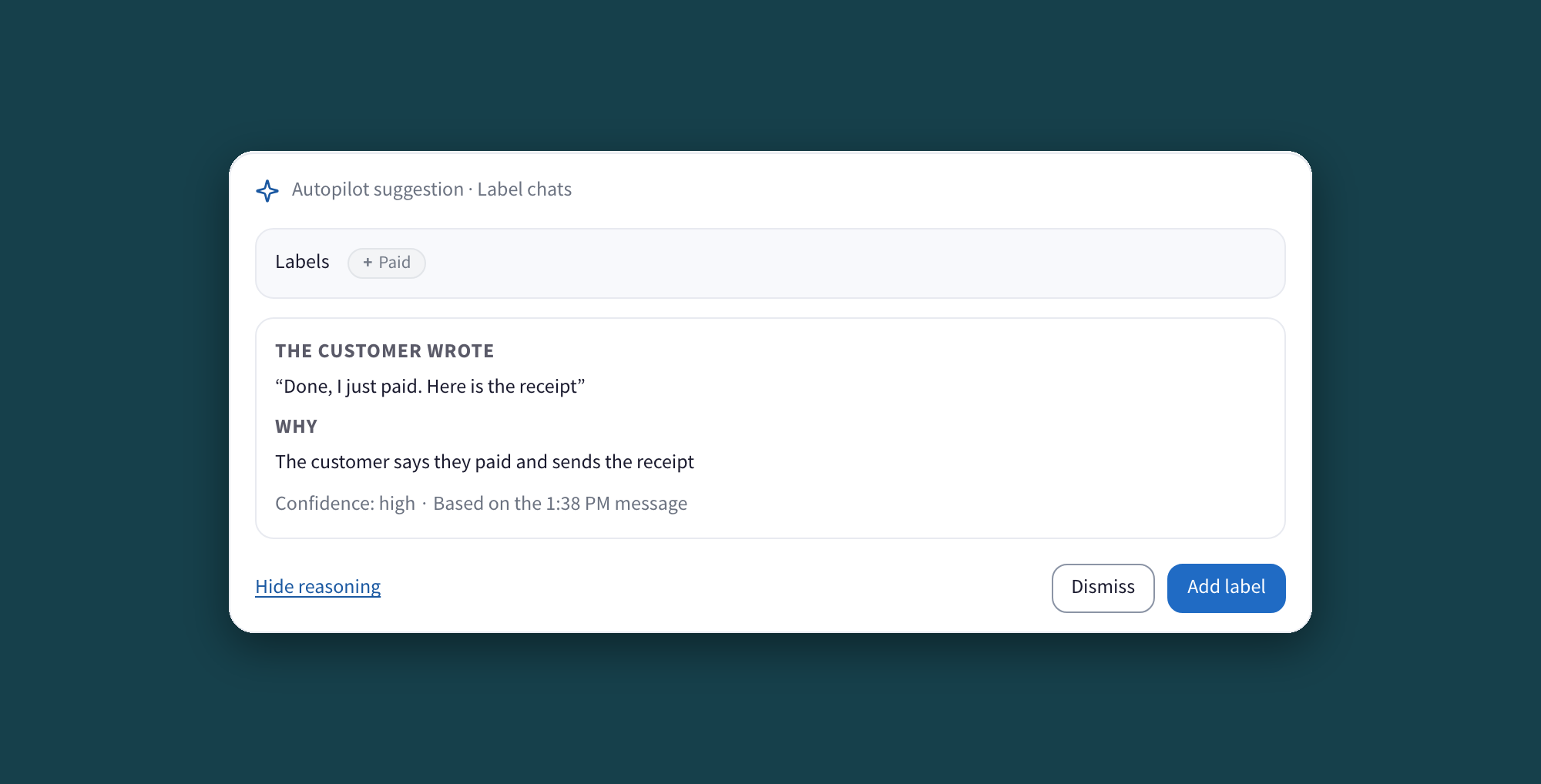
Decisions uses those instructions to organize conversations as new customer messages arrive in individual chats. You can start with Suggest, where a person reviews the proposed label. For labels you choose to delegate, Automatic can add them according to your instructions. Removing a label stays a suggestion for review.
Begin with labels your team understands. Use a short definition and a clear example. If a suggestion doesn't fit, review the message and the instruction before applying it.
A return may belong to Support, while a request for a quote belongs to Sales. You describe what each department handles, and Decisions can propose the appropriate department for review. It doesn't automatically apply the department assignment. Your team approves the proposed change.
The next step can also stay with the conversation as an internal suggestion. For a quote request, that might be checking availability before preparing the proposal. The colleague taking over has context for deciding how to continue.
Decisions can mark a time-sensitive message as a priority according to your instructions.
Decisions does not send a reply to the customer. Your team remains responsible for the answer, including any wording prepared for a person to review. Organizing a handoff and answering a customer are separate tasks.
“Thanks, that fixed it” gives your team something concrete to review. Decisions can suggest resolving the conversation after the customer confirms the issue is solved. A person can check the exchange and approve the suggestion.
That is a different decision from closing a chat simply because it has been quiet. Someone who hasn't replied may still need help. In this example, the customer has actively confirmed the outcome.
For the person managing the inbox, the useful result is a finished conversation ready to review. Colleagues can distinguish what still needs attention without treating every closing message as a new support question.
If the customer writes their email or city, Decisions can propose filling empty contact fields. Those fields can also use Automatic, according to the mode and instructions you choose. Details already present are preserved.
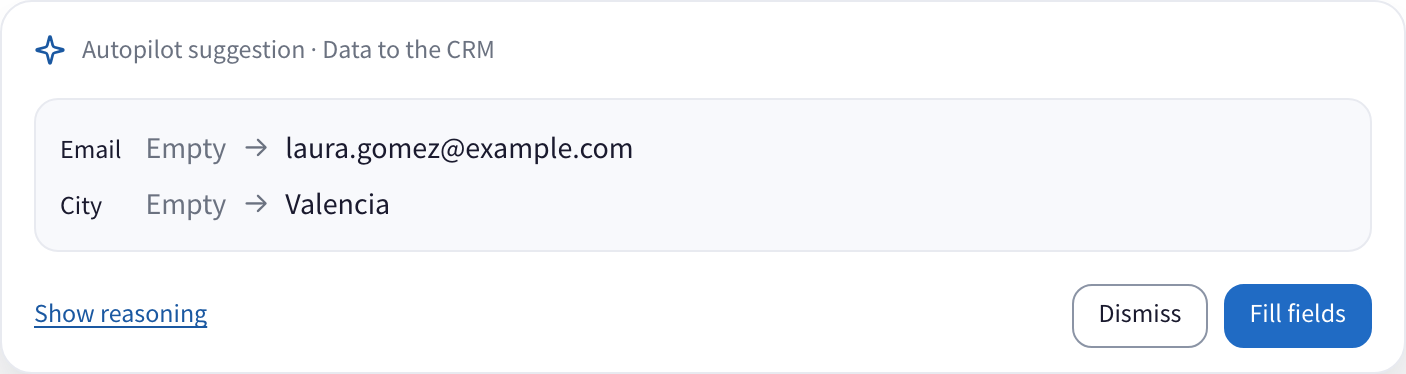
The screenshot illustrates a suggestion awaiting approval. The information is prepared for the team, and no customer message is sent when someone accepts it.
Open your WhatsApp number in WhatsTeam and choose Decisions from its menu. Configure and review the feature in the desktop web app.
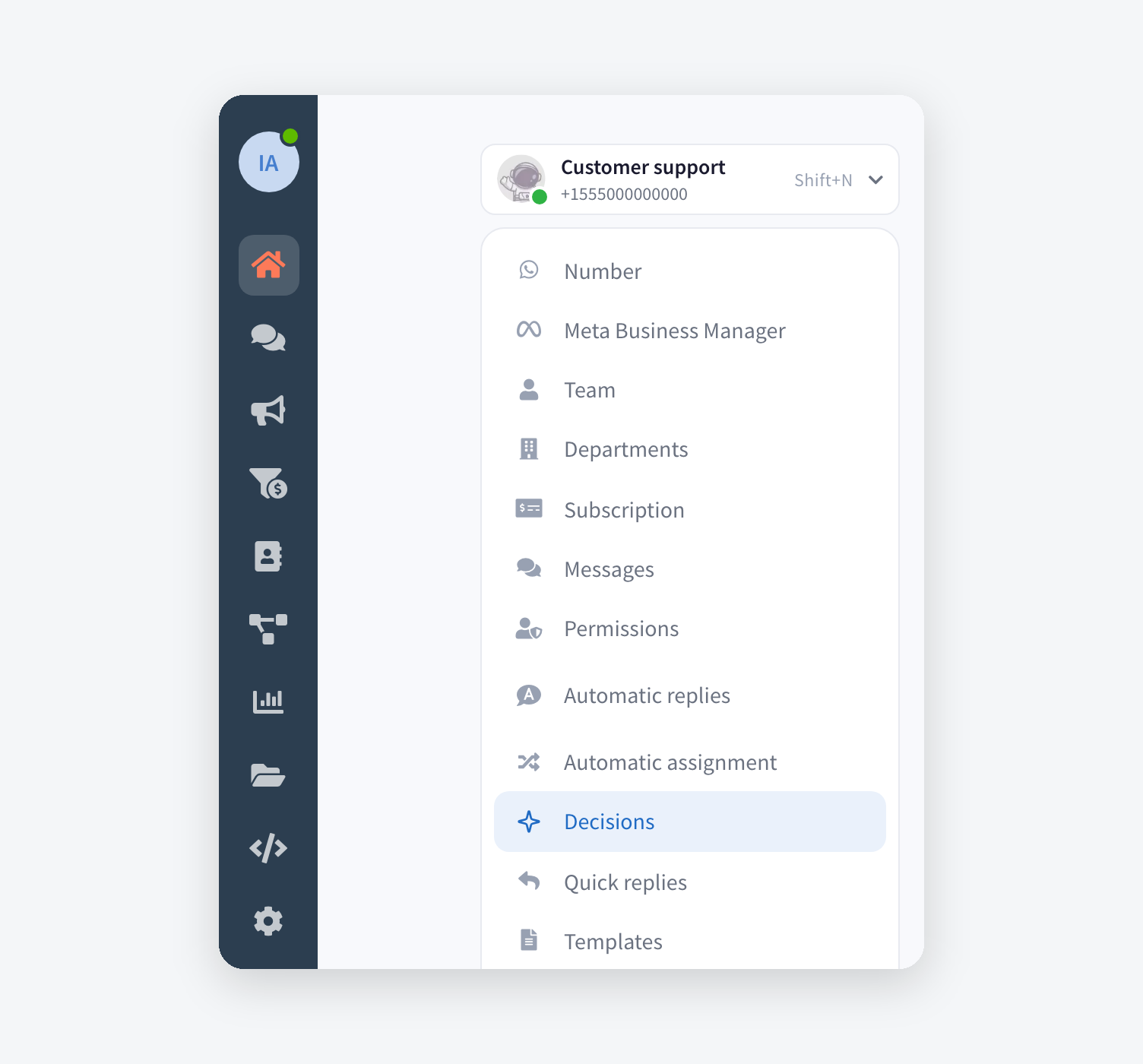
This works from new customer messages after the relevant functions are enabled. It does not automatically process your entire earlier chat history. Turning a function on isn't a bulk cleanup of every old chat.
Decisions is available in Business and Enterprise. Features and usage follow your plan's terms; check the current plans and prices for your account.
It works with conversations reaching your number. It doesn't provide prospect lists or guarantee sales. Its role here is to help the team organize the customers and enquiries already arriving in your shared inbox.
Explore Decisions to see the review flow and the modes in action. New to WhatsTeam? Create your account, connect your number and agree on the first label your team wants to delegate.

